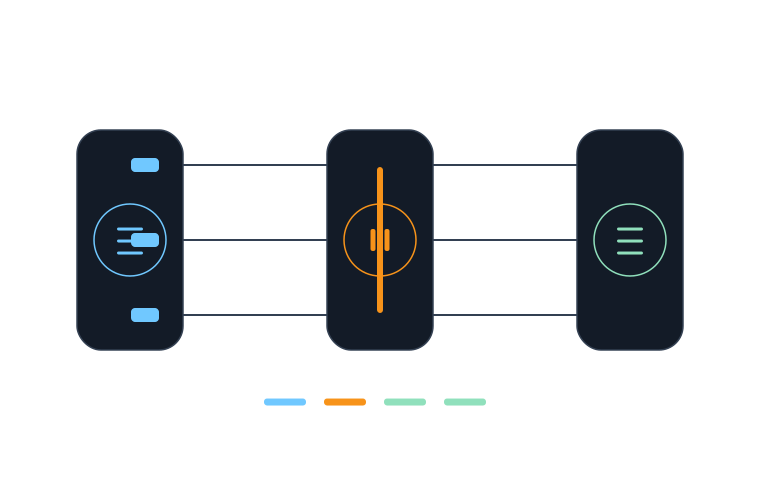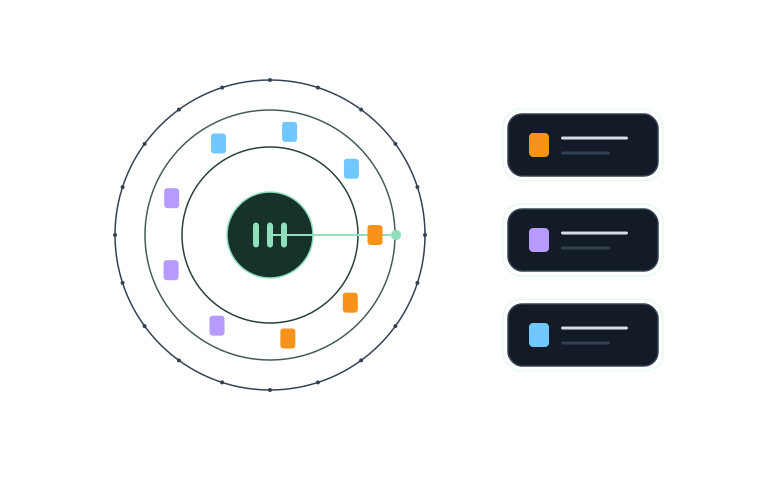



01 / MULTI-AGENT
Give the work a whole team.
Coordinate projects and agent sessions in parallel. Each Git worktree keeps its own context, with the team working toward a shared result.
 buffaloorbit.GitHub
 TECHNOLOGY & CREATIVE STUDIO
Buffalo Orbit builds digital products and automation systems so good ideas don't stop at a prototype.

 Agents
 Design
 Cleaner
 Proxy
ProxyWorkflows for building and shipping software
Repeatable content production systems
Apps for images, audio and video
Interactive tools and experiences
/ PRODUCTS IN ORBIT
We are building a suite of products for software makers, creators and anyone who wants to work more clearly.
BUFFALO AGENTS / YOUR TEAM, IN ONE WORKSPACE
Coordinate coding agents, give each worktree its own context, and see what every session is doing. From delegation to verification, bring the work together.
 View full image
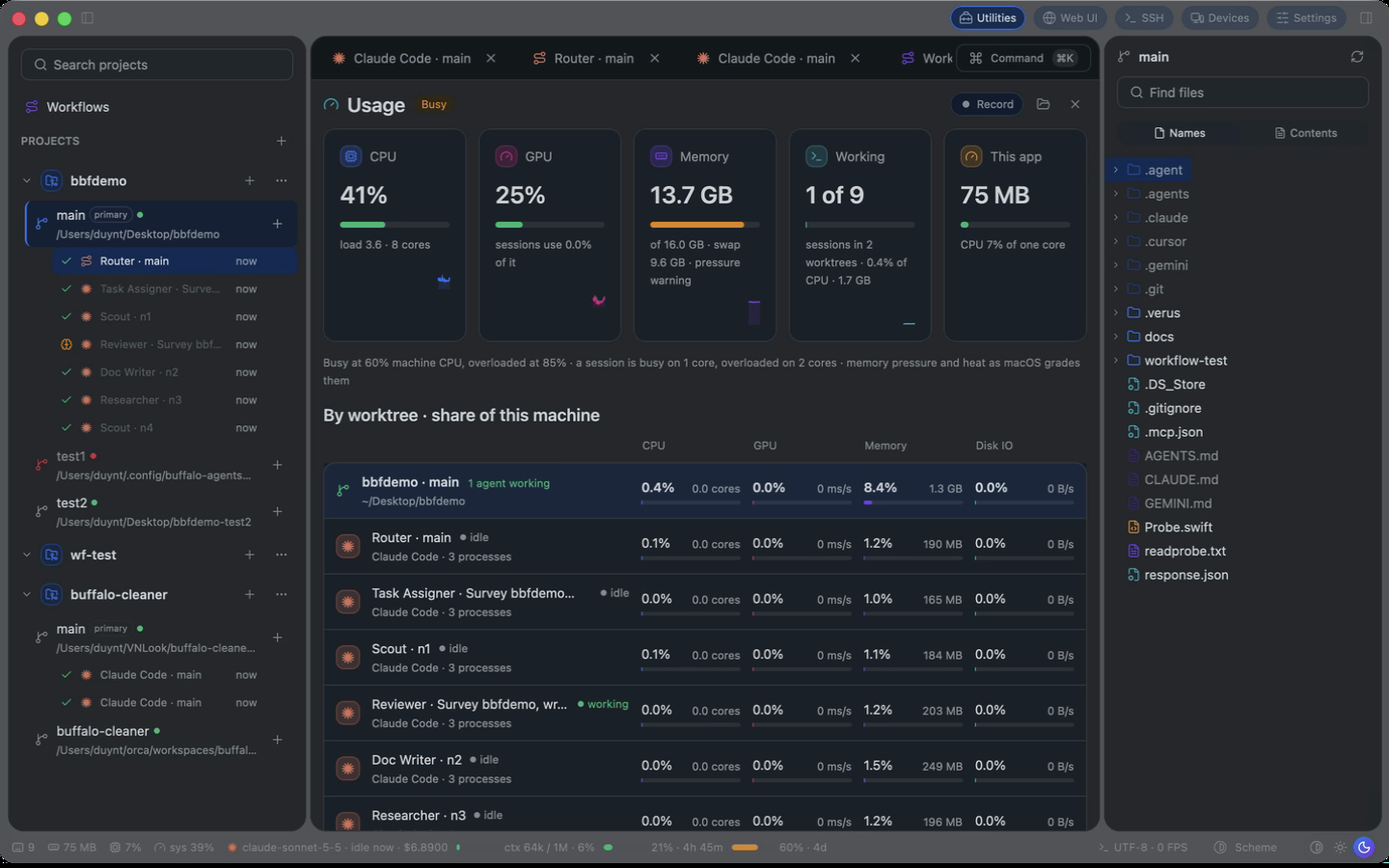
 Coordinate projects and agent sessions in parallel. Each Git worktree keeps its own context, with the team working toward a shared result.
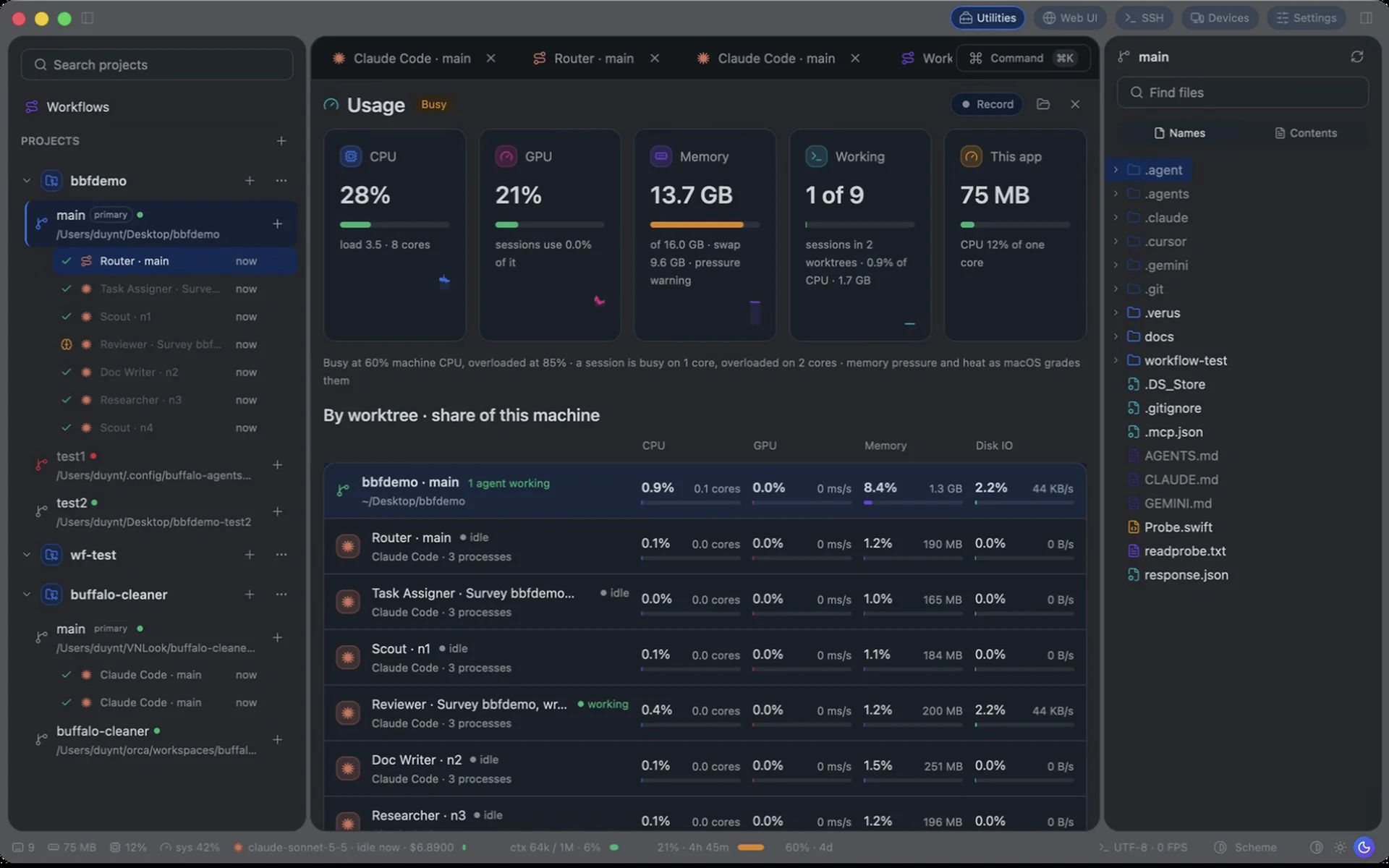
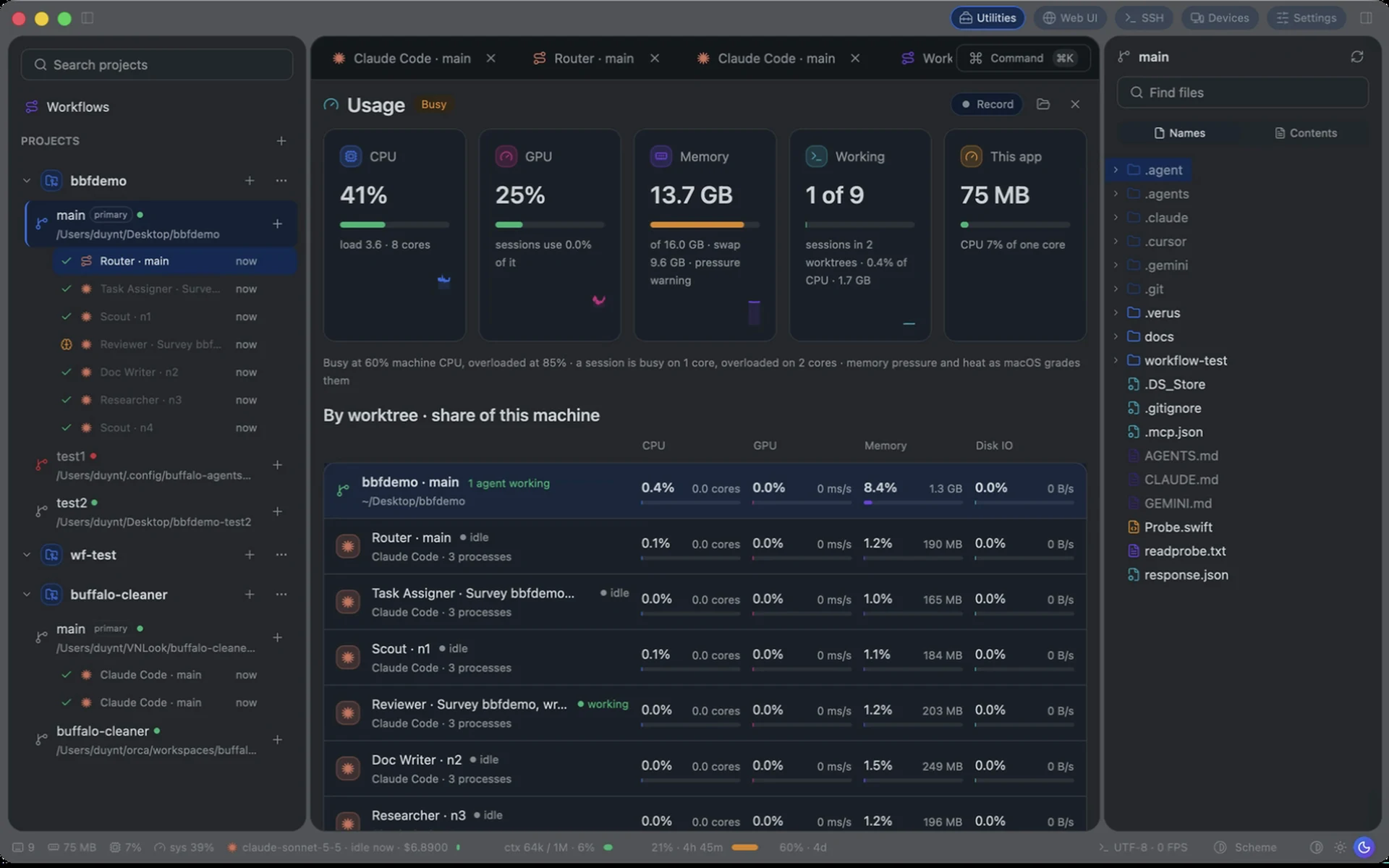
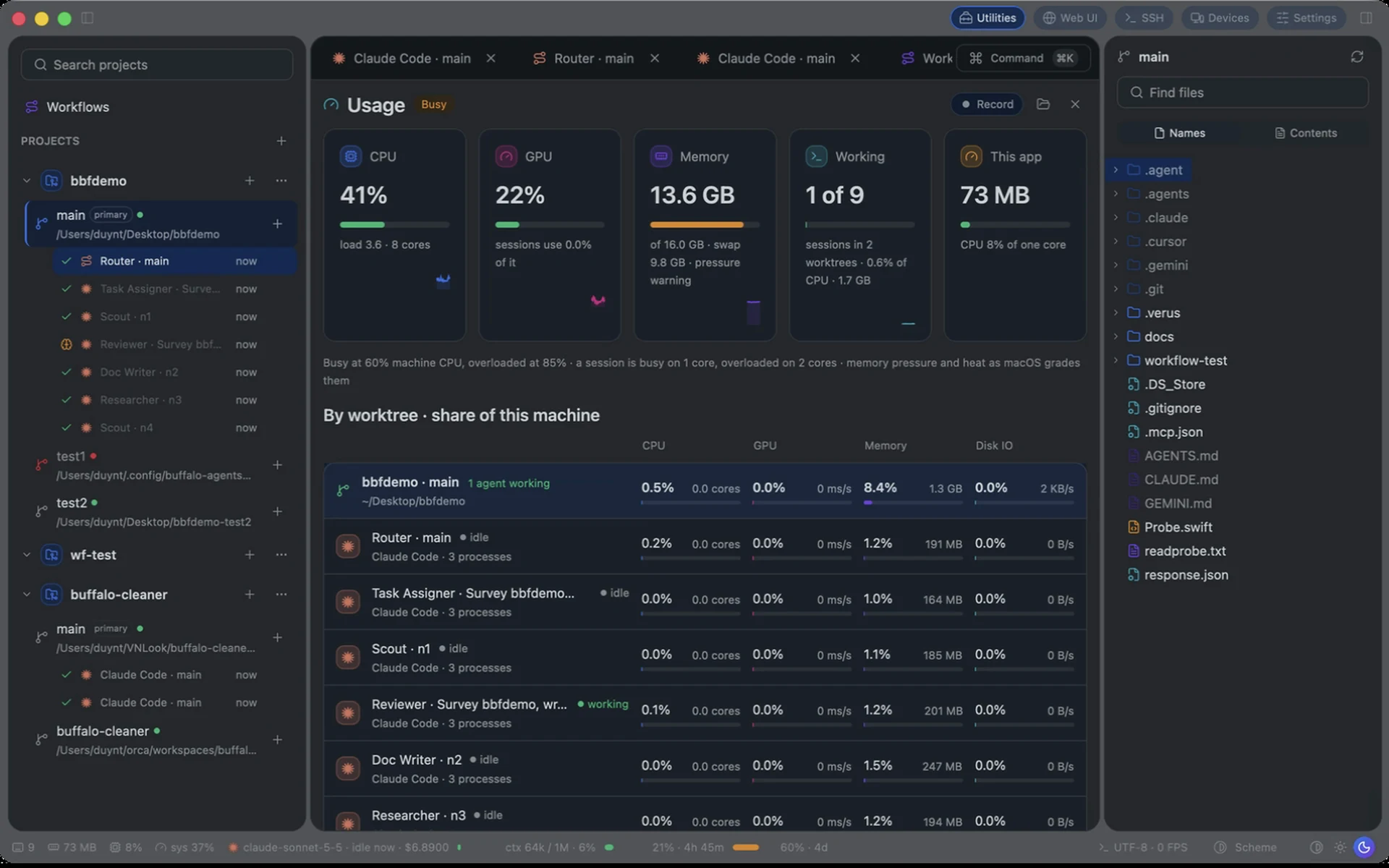
CPU, GPU, memory and disk I/O by worktree and session. Keep the work and its resource use in view.
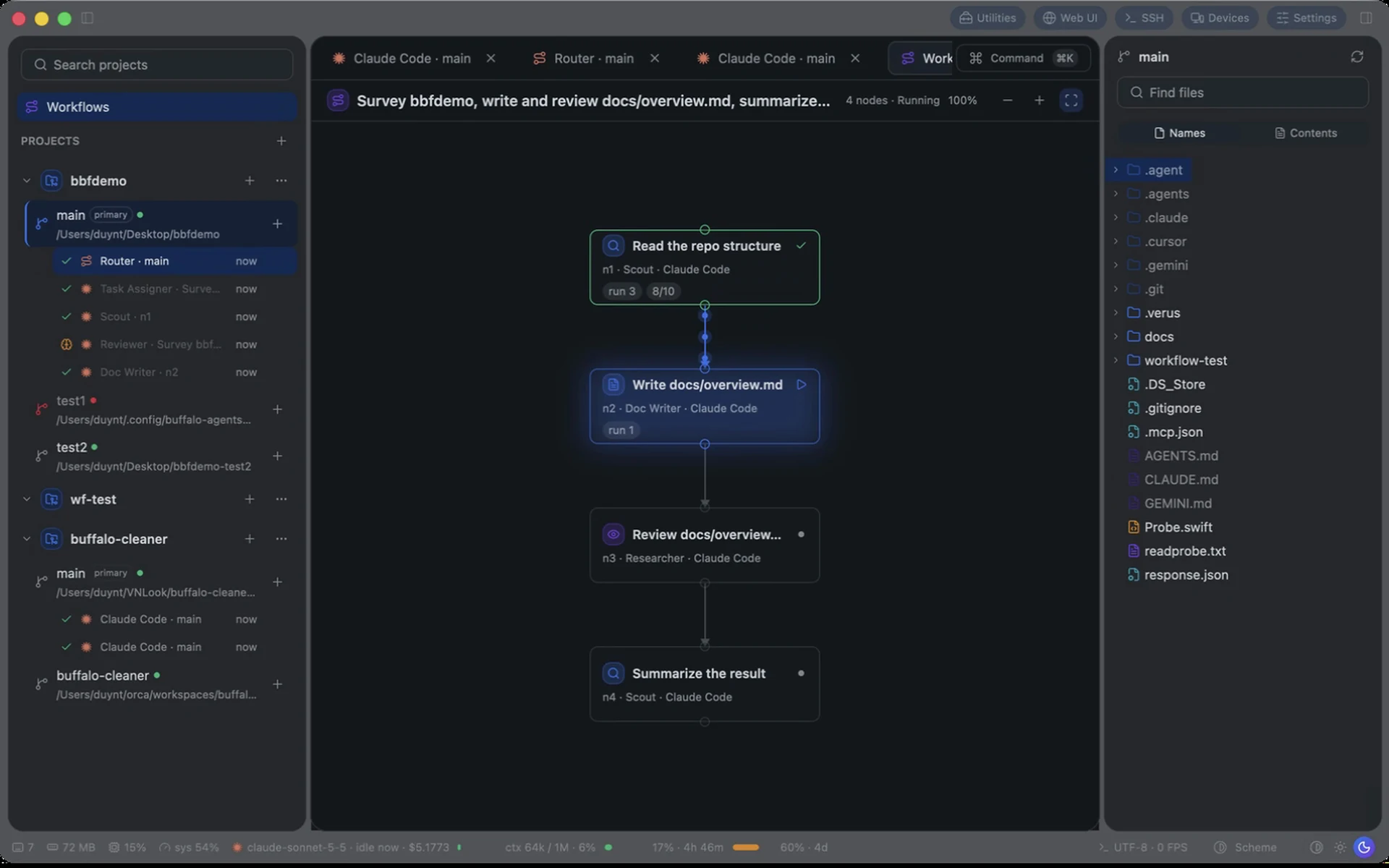
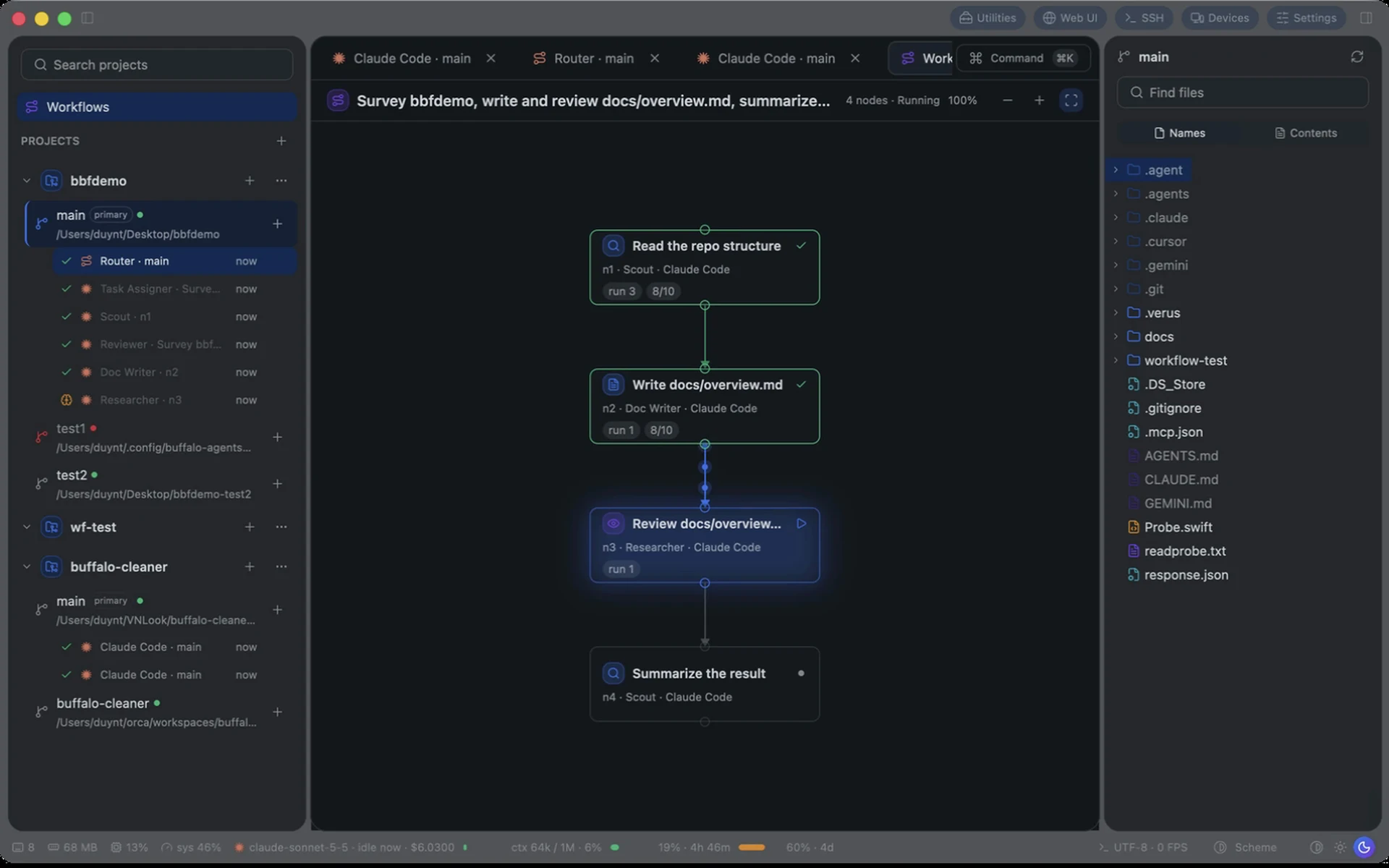
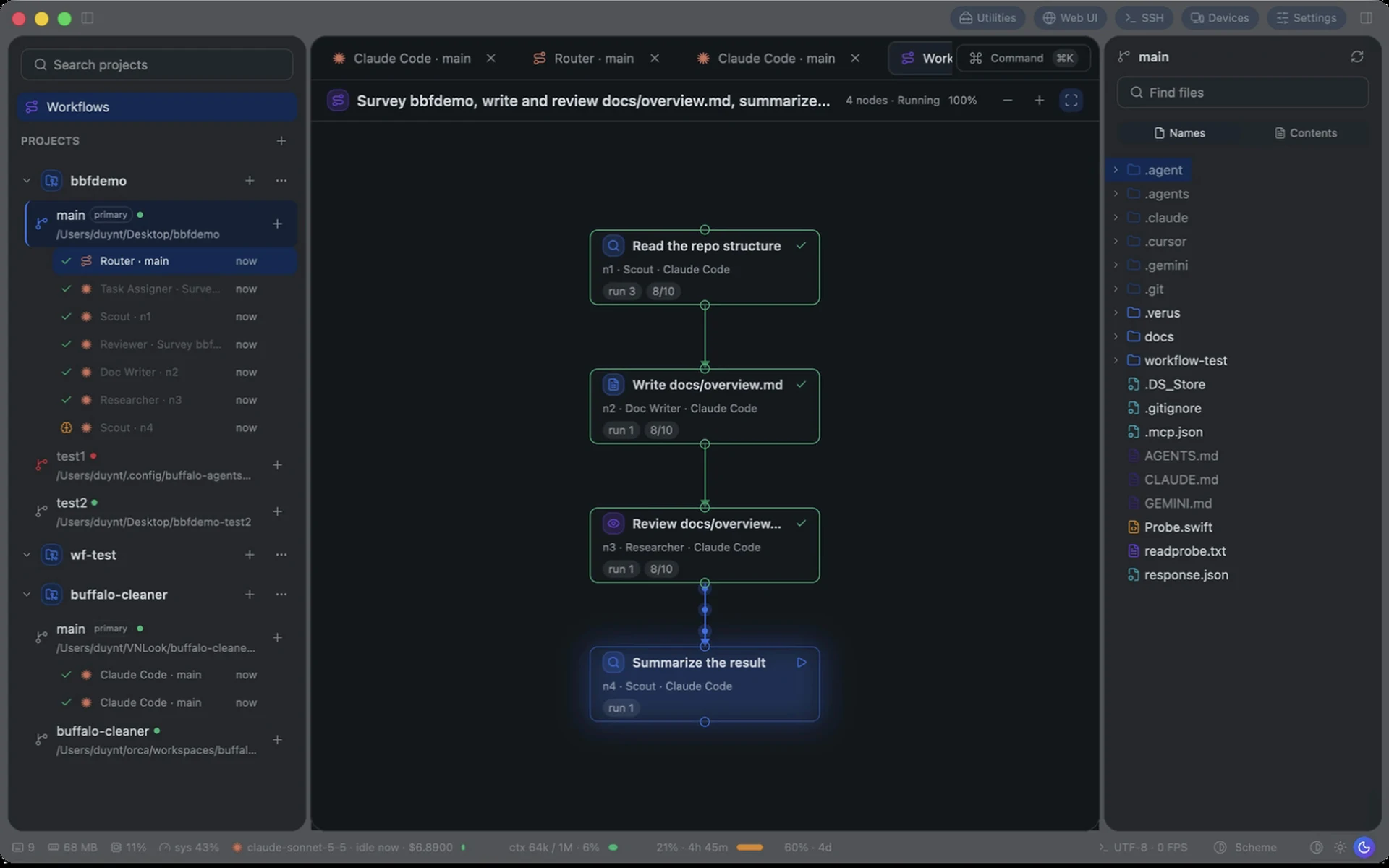
Assign agents and connect stages in the Workflows tree. From reading the repo through implementation, review and summary: follow the active stage, its agent and its output.
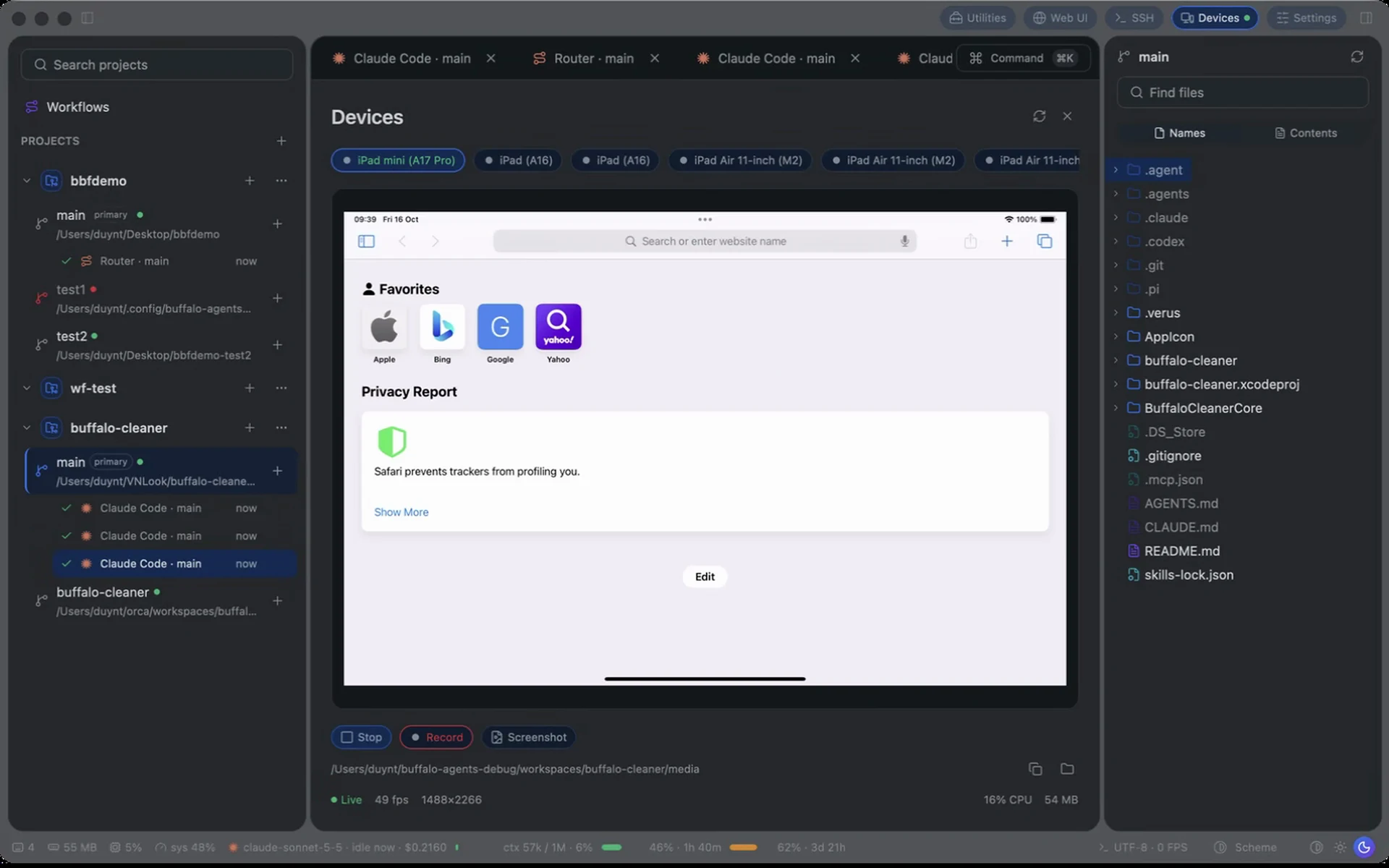
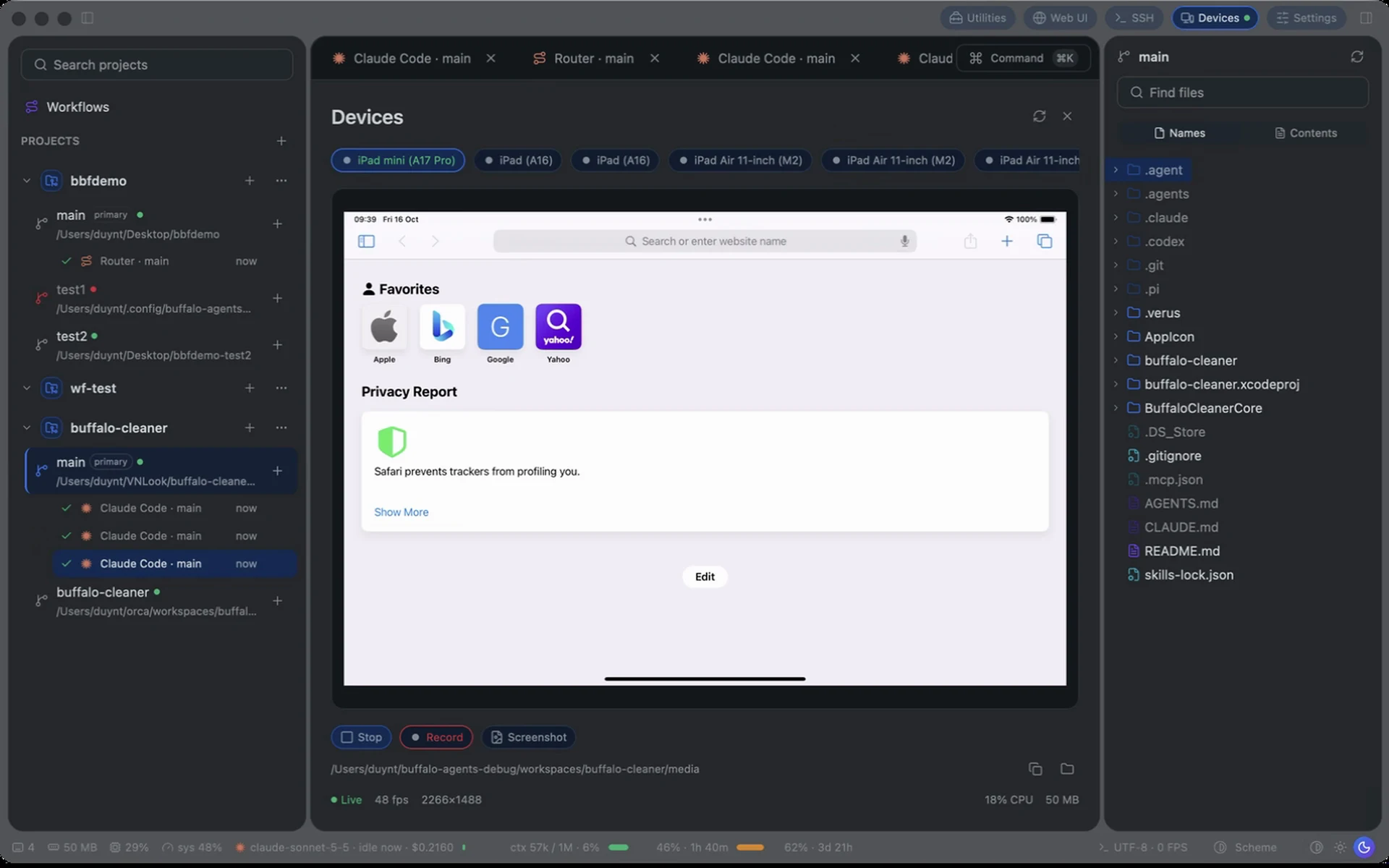
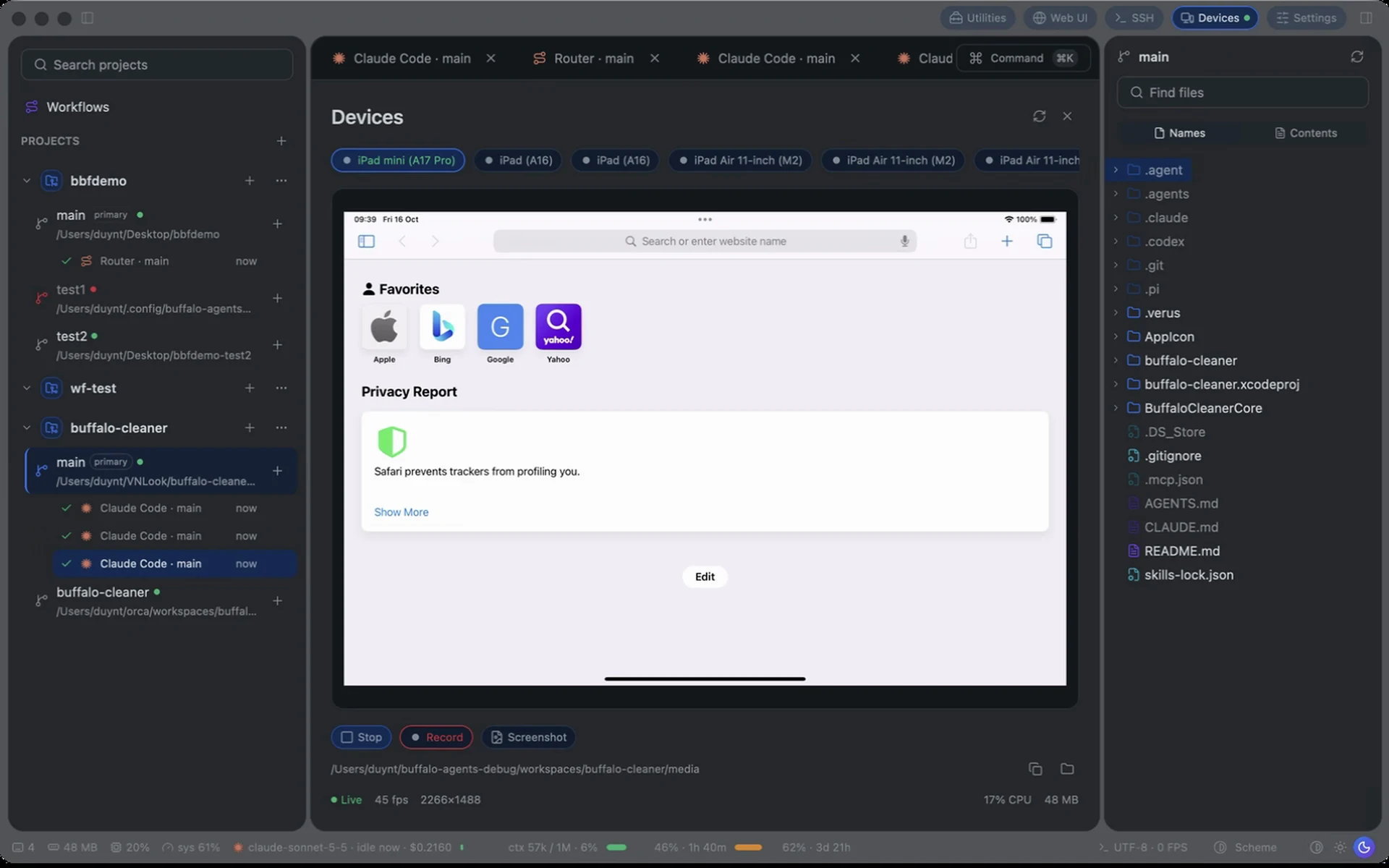
Bring macOS apps, iOS simulators, Android devices and browsers into the agent workflow. Observe, interact and capture evidence with supported tools.
Start in Buffalo Agents, organize a workspace, then separate work into Git worktrees with their own branches and context. Run Claude sessions for implementation and review within each worktree, with a clear home for every thread.
App → Workspace → Worktrees → Sessions
Choose Sonnet or Opus and an effort level for each Claude session. The session daemon retains background work; queue follow-ups and reconnect with the context you already built.
Example roles by model & effort
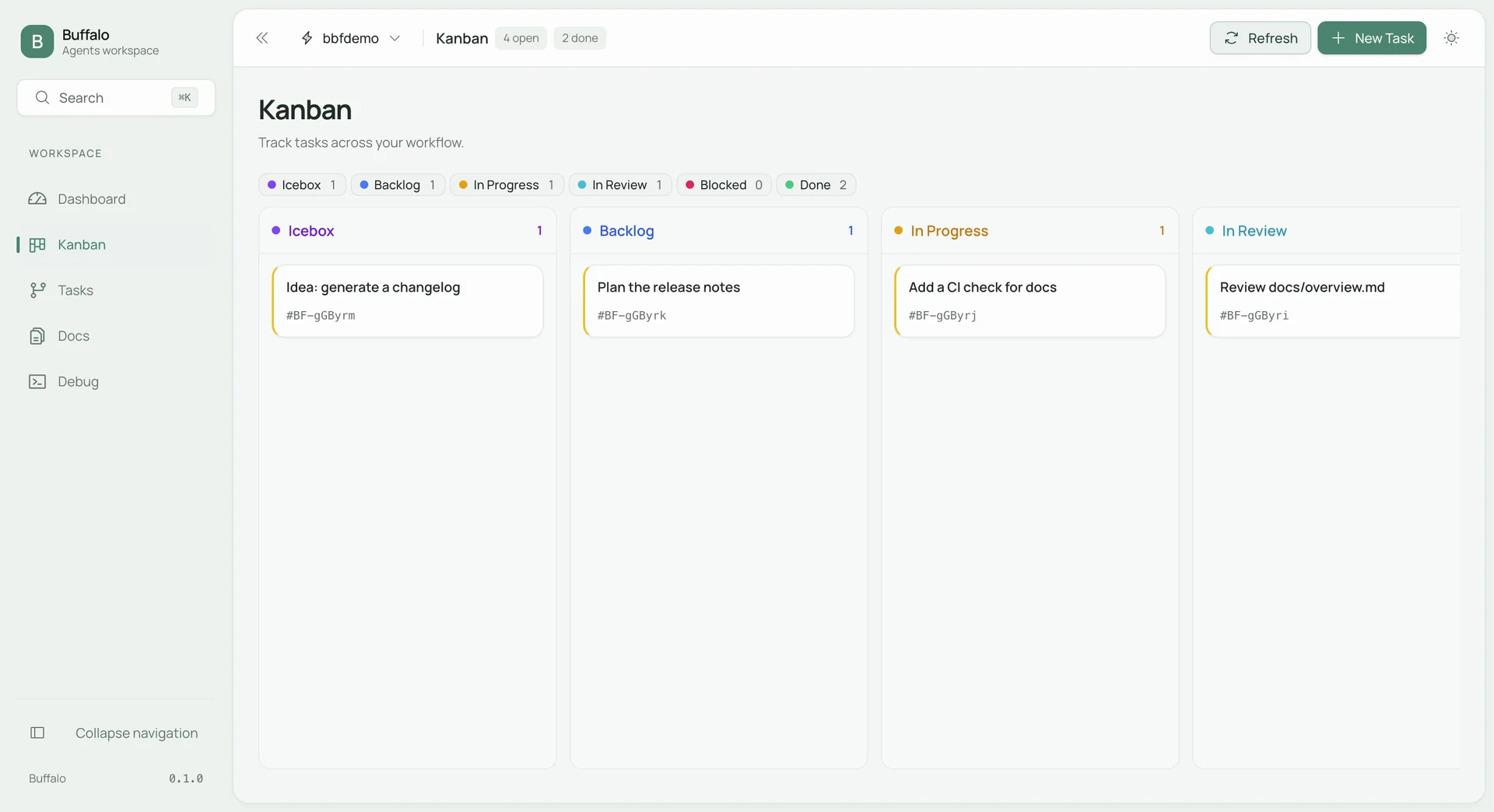
Manage tasks and follow their status on the Web UI Kanban board. Keep Backlog, In Progress and In Review visible so the team knows what comes next.
Bring the right app into the work from Buffalo Agents: design with Buffalo Design, audit and test APIs with Buffalo Proxy, and build and test apps through Device Hub.
Canvas, layers & design systems
Requests, responses & API checks
Devices, simulators & applications
Delegate from Agents. Work in the right app.
And the tools that keep the team aligned.
Keep requirements, plans and notes beside the work.
Work with remote environments from your workspace.
Carry agent conventions and configuration into every worktree.
Keep terminals, an editor and document previews beside agent sessions.
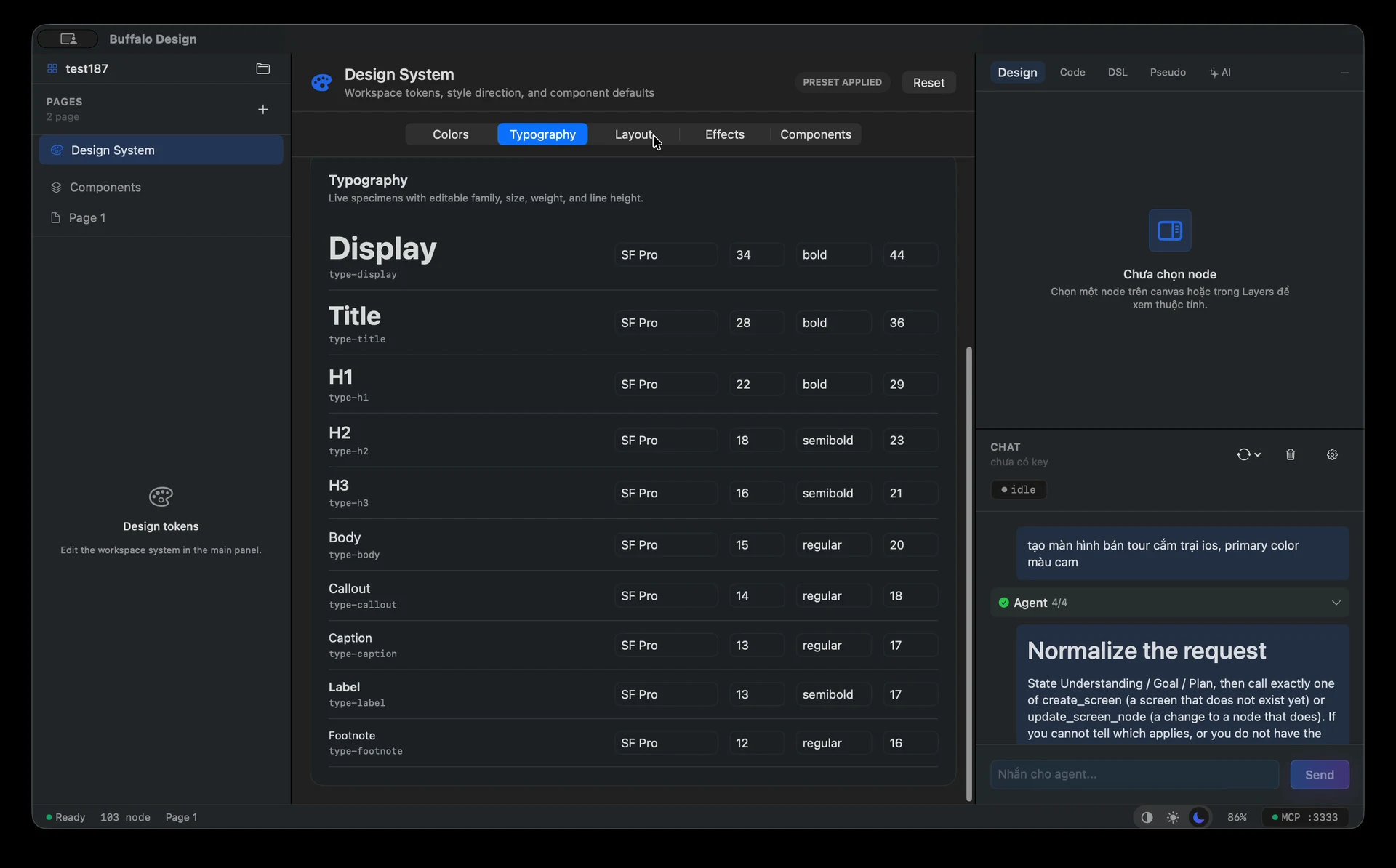
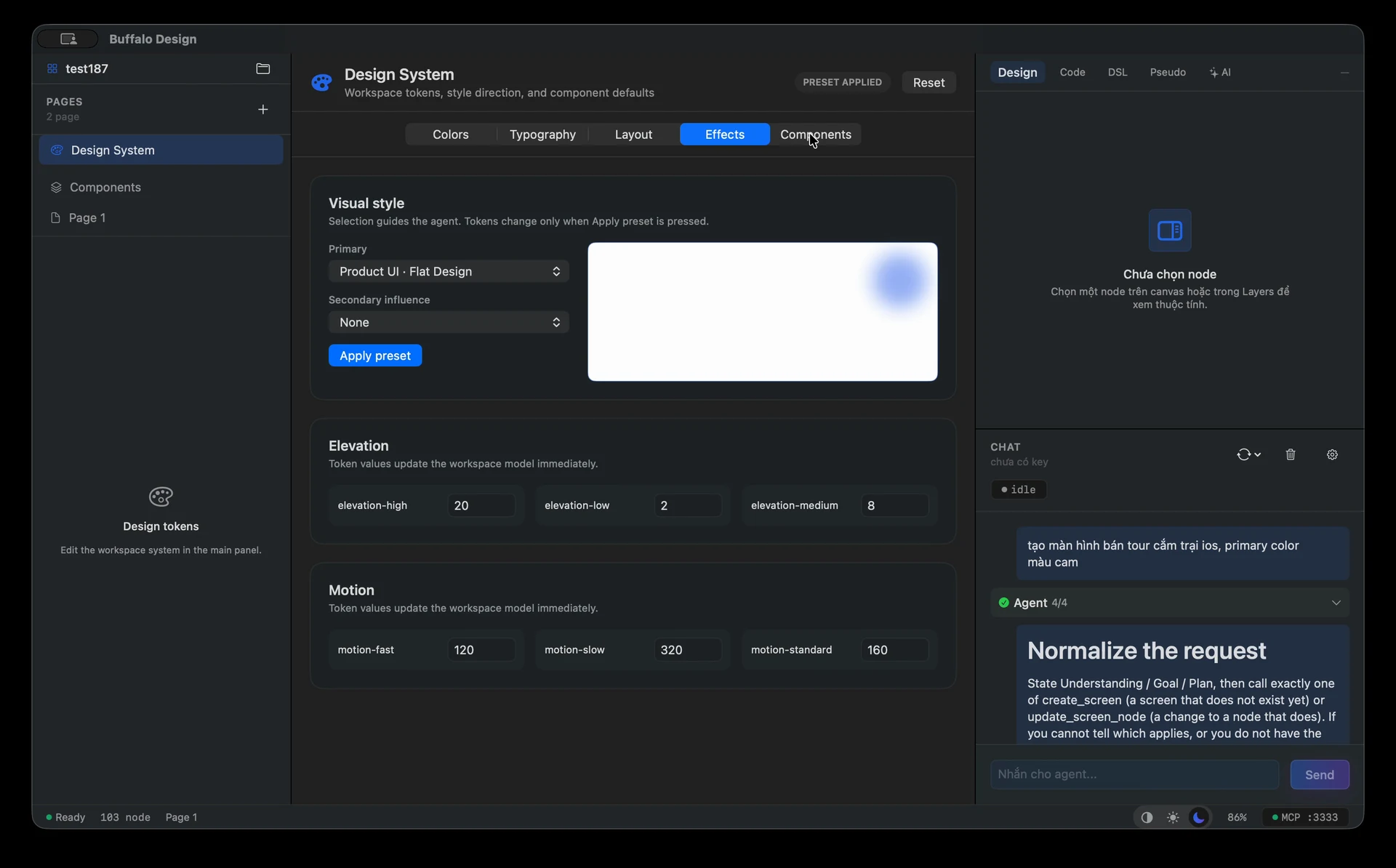
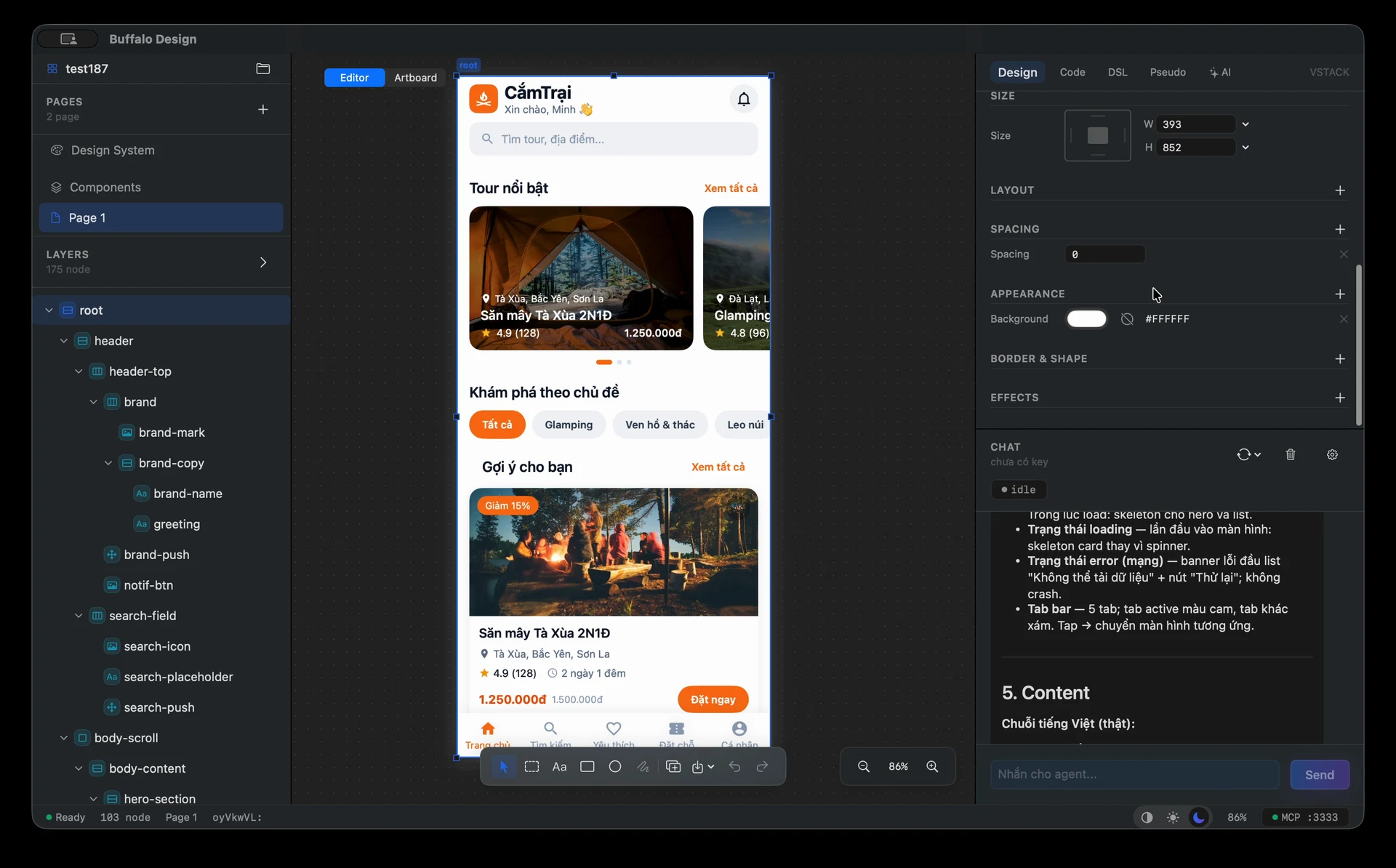
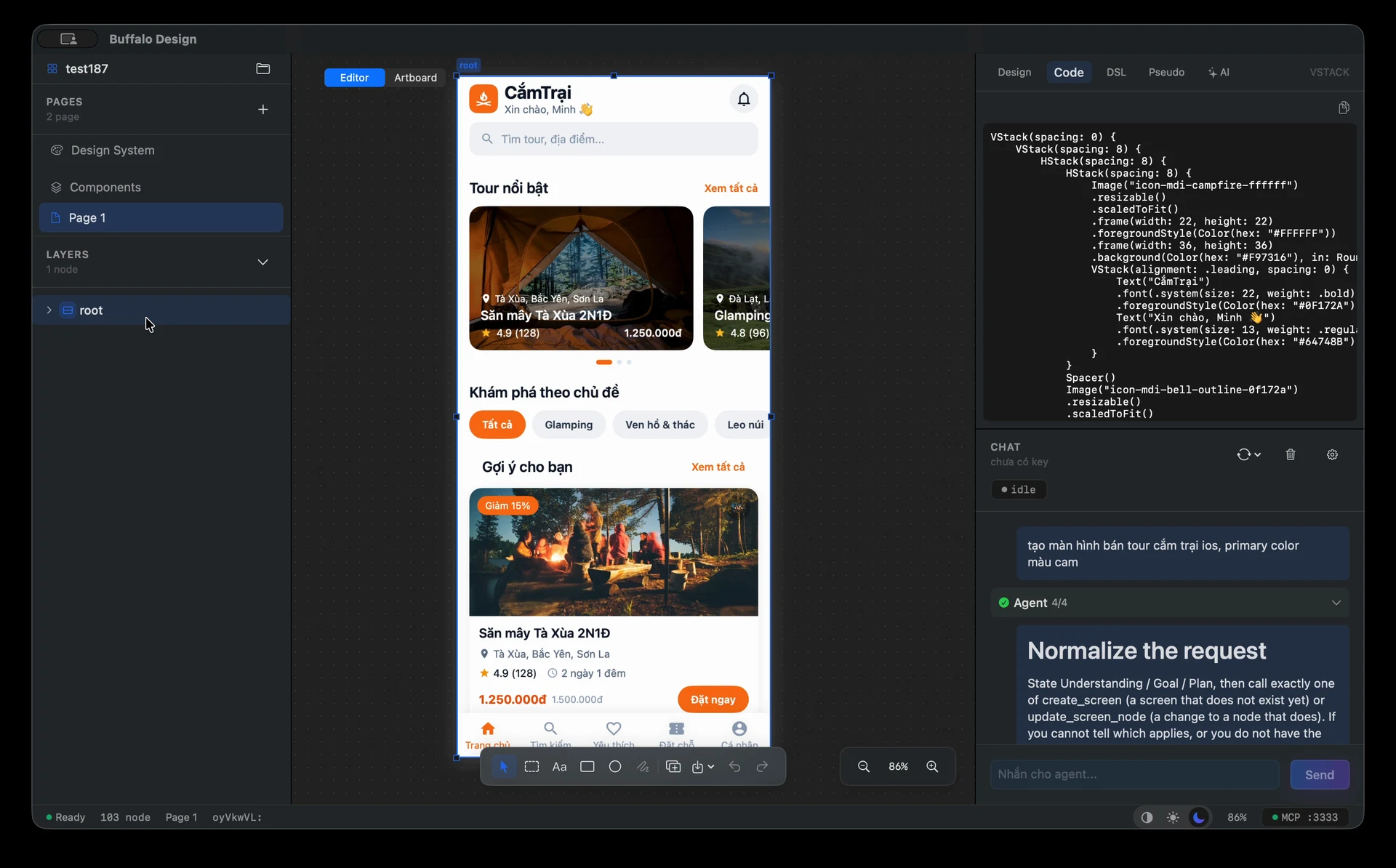
BUFFALO DESIGN / A SHARED SPACE FOR IDEAS TO TAKE SHAPE
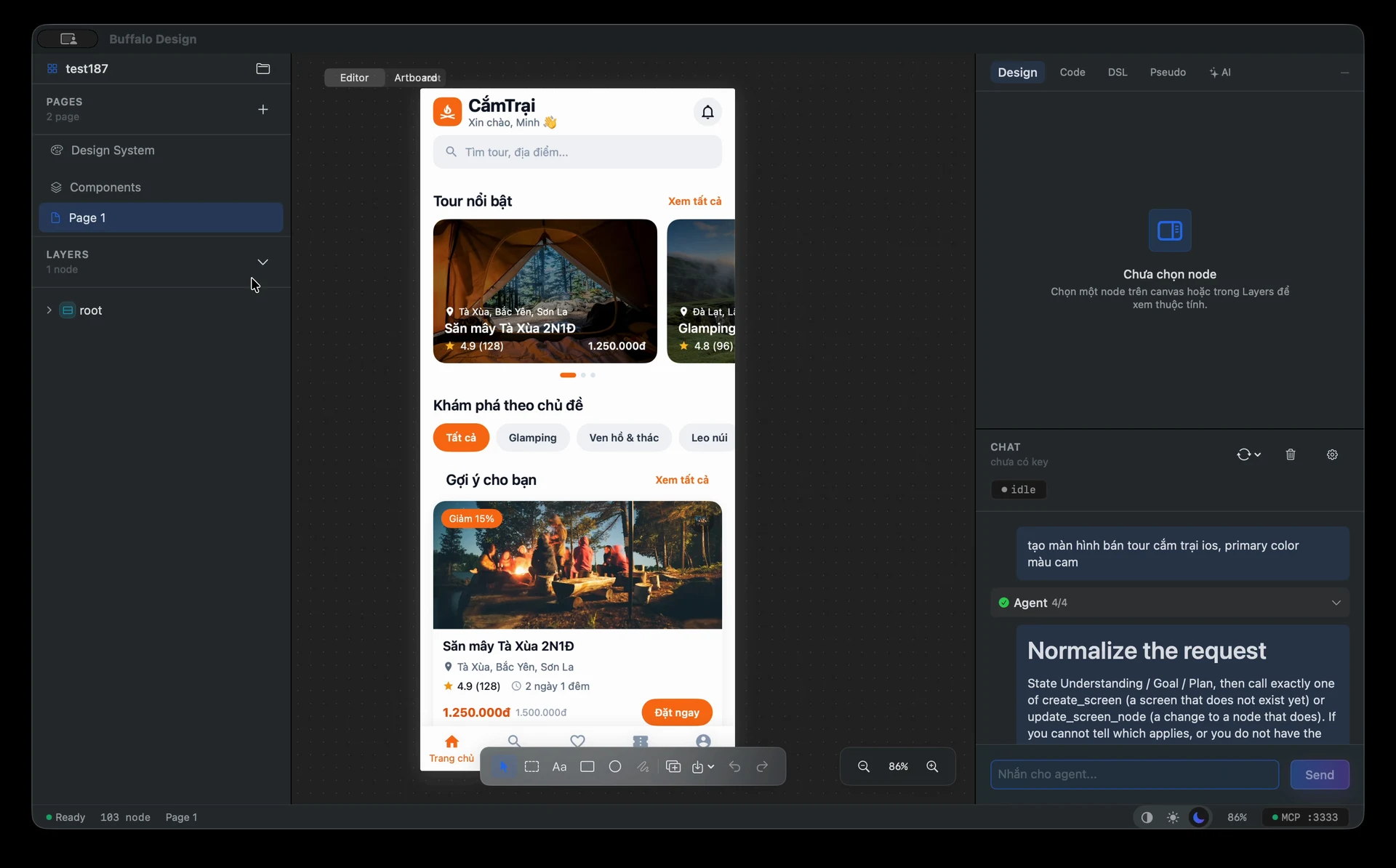
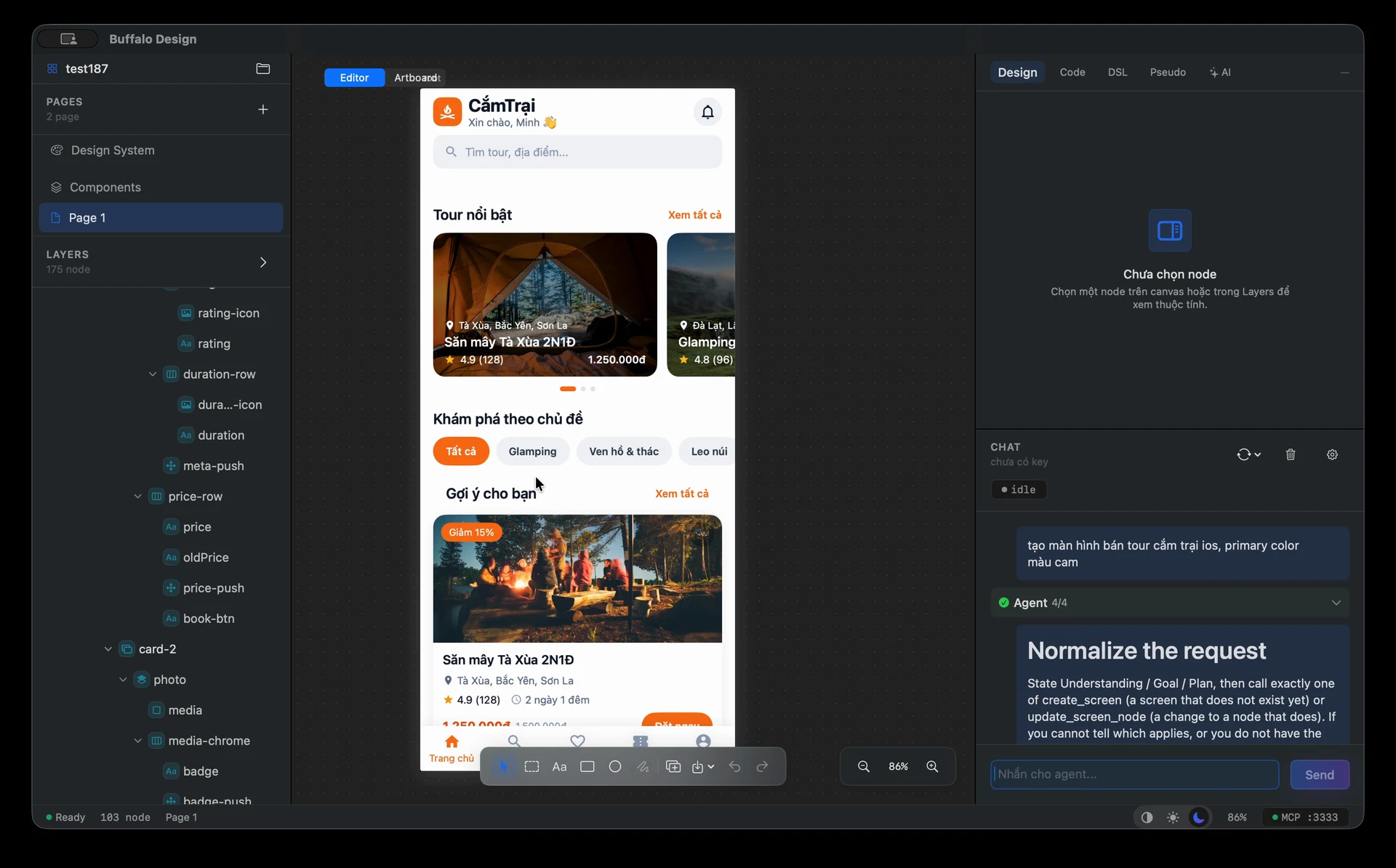
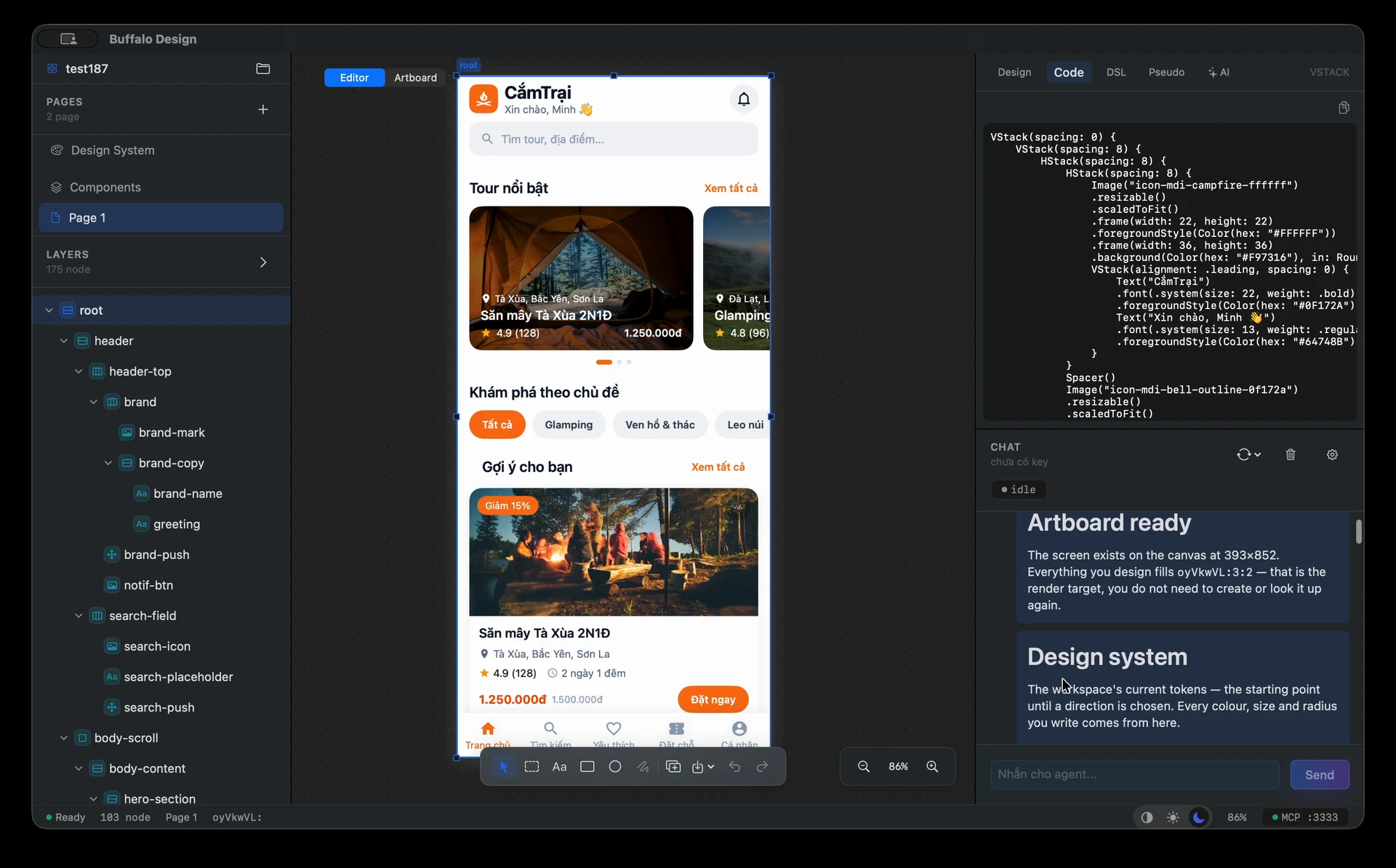
Shape a canvas, organize layers and share design tokens. Bring in references, refine with an agent, then inspect structure and code to prepare for implementation.
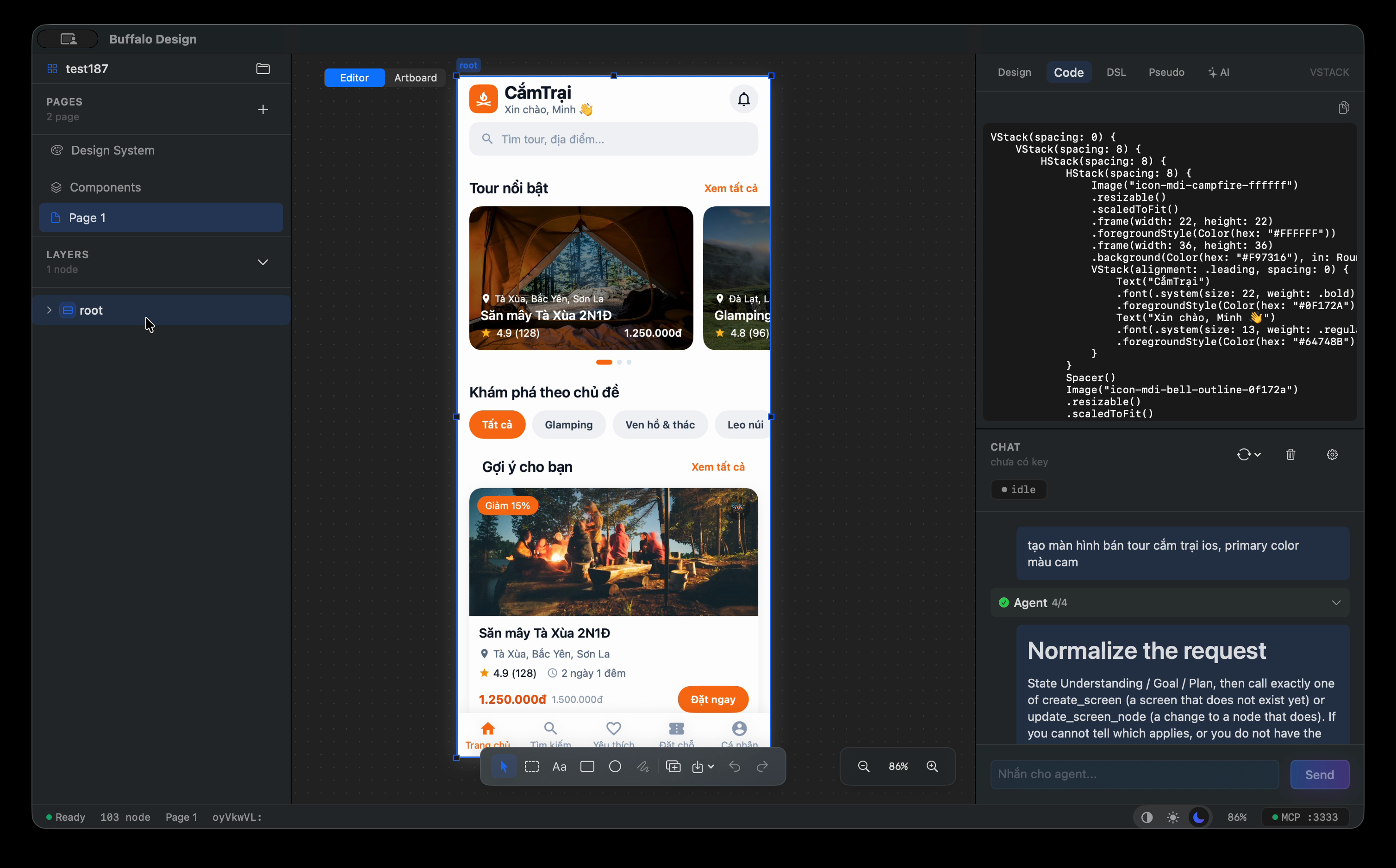 View the full interface
 Work with pages, frames, text and shapes on the canvas. Layers and the inspector keep every element clear, with undo and redo as the design evolves.
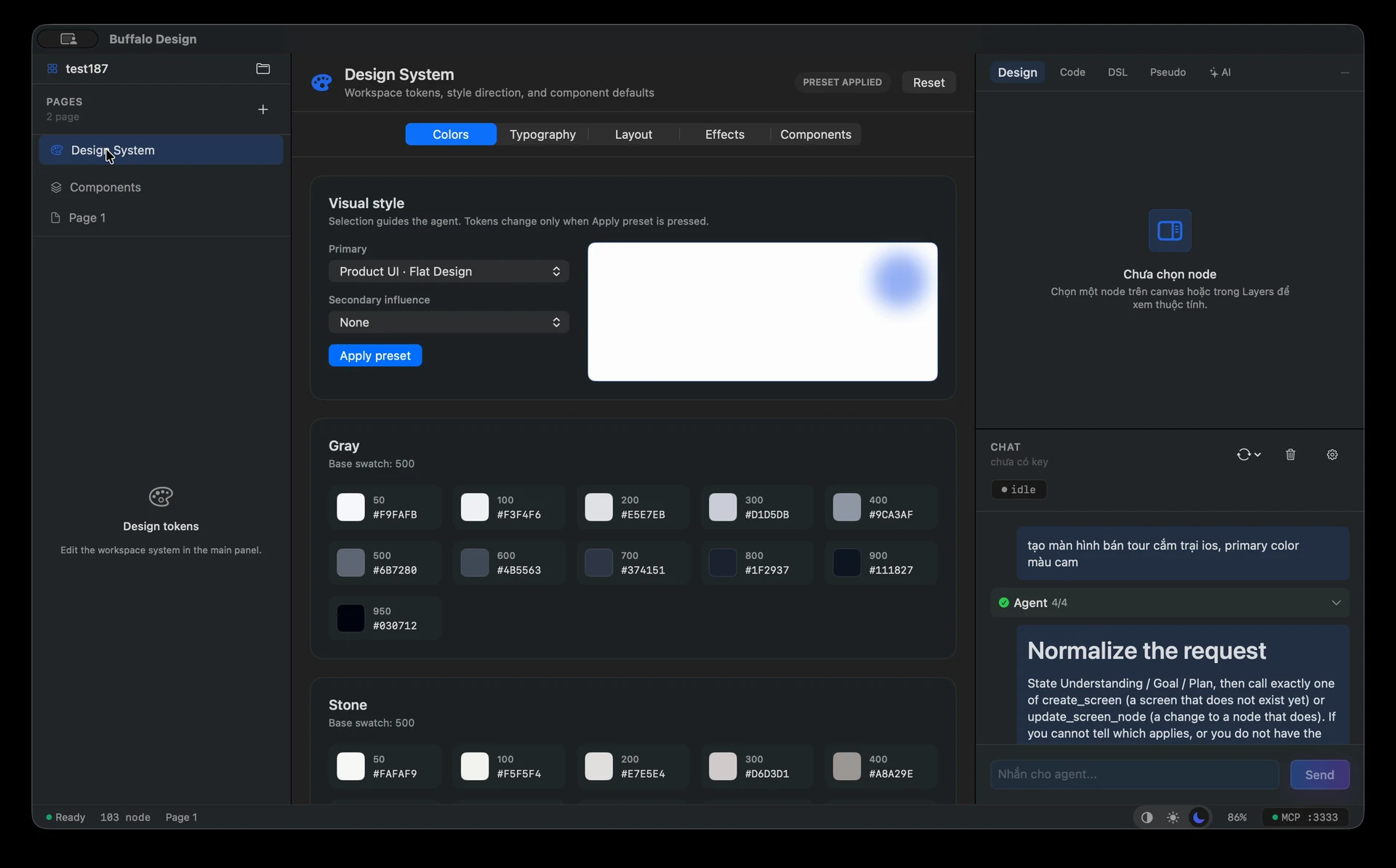
Manage shared colors, typography, spacing, radius and components. Keep design decisions consistent as the document grows.
Describe an interface, review changes on the canvas and refine the result. Provider-backed chat and MCP tools bring people and agents into one document.
Bring SVGs, raster images, icons and project assets onto the canvas. SVG and PNG wizard flows create editable screen structures while preserving the original reference.
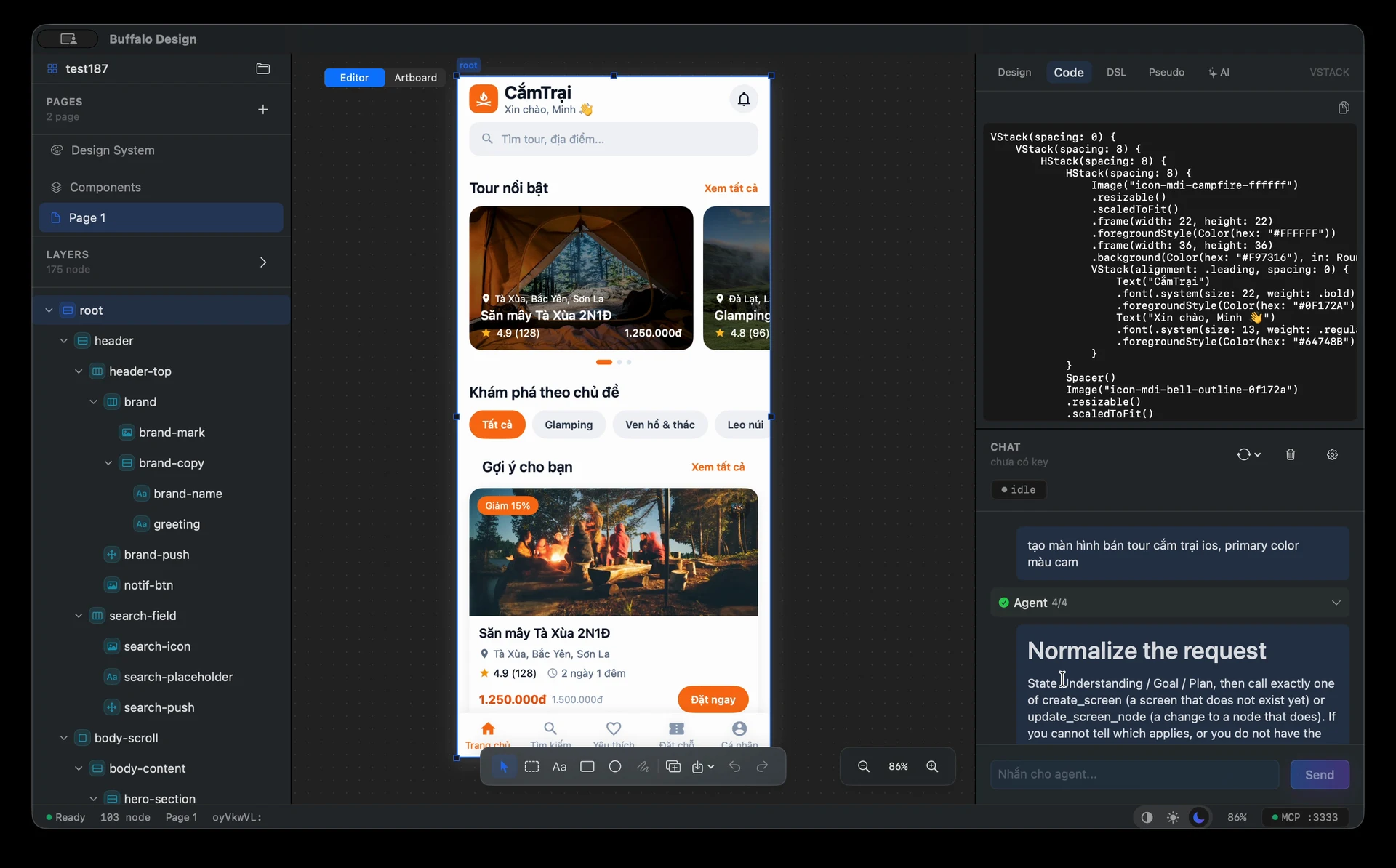
Select a layer and inspect its layout, colors and visual properties. Move from the full screen to the details of an element while keeping the design in context.
Inspect SwiftUI and structured UI descriptions, and export assets with supported design tools. Carry the design intent into implementation and verification.
 MACOS / NETWORK TOOLS
Observe HTTP/HTTPS traffic in a native interface. Breakpoint, mapping and rewrite tools help you inspect requests in context.

Observe traffic, pause at a breakpoint and apply mapping or rewrite rules before a request continues.
Inspect HTTP/HTTPS requests and responses.
Pause to inspect and modify a request.
Read status, headers and response timing.
 MACOS / STORAGE
See what is taking up space, scan by group and review every item before you clean.

Scan, group and review what takes up space before deciding what to clean.
Smart Scan discovers data groups.
Identify leftovers from developer tools too.
Inspect individual items before cleaning.
/ APPROACH
Anything done by hand twice is a signal for us to think about a tool for the third time.
Clarify what users need, the workflow, and the results that must be verifiable.
Turn repeated steps into tools, templates or processes the team can reuse.
Keep builds, docs and release steps clear enough that the product keeps going well after its first launch.
 THREE BUFFALO. ONE STANDARD.
/ THE PEOPLE BEHIND THE ORBIT
The Buffalo Orbit identity tells the founding team's story through three complementary roles.
Training · review · technical foundations
Keeps ways of working transferable and verifiable.Software · content · multimedia
Turns ideas into tools that actually get used.Games · interaction · content systems
Connects engineering with play and discovery.The image is a brand illustration; names and portraits have not been published on the organization profile.
/ FAQ
We build tools that automate software production, content systems, multimedia apps and game experiences. The featured products on this page are desktop apps under development.
The Buffalo Agents, Buffalo Cleaner and Buffalo Proxy images are captured from the running apps. The Buffalo Design image is a sample screen made with the tool and labeled separately. The diagram in the Buffalo Agents section illustrates the workflow and is distinct from the app screenshot.
Explore Buffalo Orbit products on GitHub. For all inquiries, email contact@buffaloorbit.com.
/ GO FURTHER TOGETHER
Explore what we are building and follow the next rounds of development.
Meet Buffalo Orbit on GitHub/ INFORMATION
Explore our products or get in touch with us directly.
For all questions, feedback and collaboration inquiries, contact us by email.
contact@buffaloorbit.comExplore product overviews, screenshots and walkthroughs from Buffalo Orbit.
BuffaloOrbit / buffalo-overviews